Introduction
qmk-skim (Svalboard Keymap Image Maker) is a command-line tool that generates beautiful, publication-ready images of your keyboard layouts. It takes keymap configuration files from popular keyboard firmware tools and produces SVG or raster images (PNG, JPEG, etc.) that you can use for documentation, reference cards, or sharing your layouts with the community.
What is qmk-skim?
If you use a Svalboard split keyboard with QMK firmware, you’ve probably wanted to visualize your keymap layout. Maybe you want to:
Create a quick reference card to keep nearby while learning a new layout
Document your configuration for others to learn from
Share your layout on forums, Reddit, or Discord
Generate images for a blog post or keyboard guide
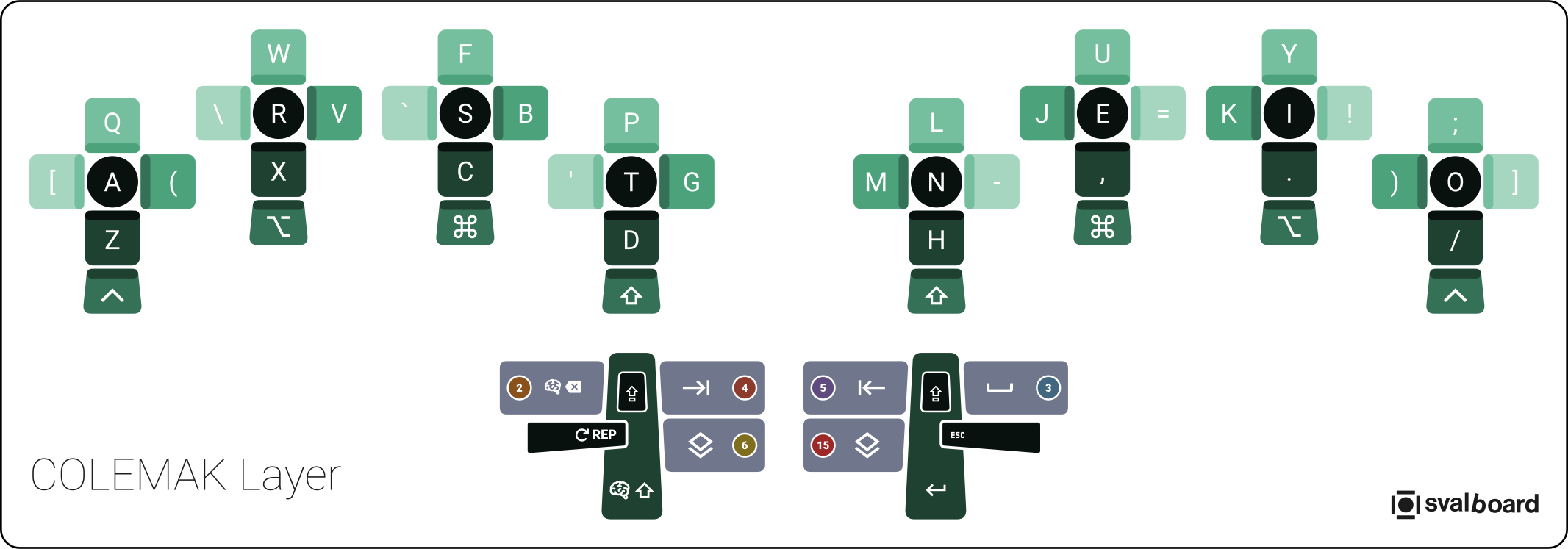
qmk-skim automates this process by reading your keymap files directly and generating consistent, professional-looking images.
Supported Formats
qmk-skim can read keymap files from three popular sources:
Format |
Extension |
Description |
|---|---|---|
Keybard |
|
Keybard’s native export format (JSON) |
Vial |
|
Vial’s layout format (JSON) |
QMK c2json |
|
QMK’s |
Use Cases
Personal Reference Cards
Generate images of your keyboard layers to print or keep on your desktop. This is especially helpful when learning a new layout or switching between different layer configurations.
skim generate -k my-layout.kbi -o ~/Desktop/keymap-reference/
Documentation
If you maintain a keyboard configuration repository or write about keyboards, qmk-skim can generate consistent images for all your documentation needs.
skim generate -k layout.vil -f png -o ./docs/images/
Selective Layer Export
Only need specific layers? qmk-skim can generate just the layers you want.
# Generate only layer 1
skim generate -k layout.kbi -l 1

# Generate layers 1 through 3
skim generate -k layout.kbi -l 1-3

# Generate specific layers
skim generate -k layout.kbi -l 1 -l 3 -l 5
Key Features
Multiple input formats: Supports Keybard, Vial, and QMK c2json files
Flexible output: Generate vector (SVG) or raster (PNG, JPEG, WEBP, AVIF) images
Layer selection: Generate all layers, specific layers, or overview images
Layer indicator circles: Visual indicators showing which layers each key targets
Overview connectors: Dotted connector lines from layer indicators to target layers
Interactive TUI configurator: Edit configuration files in a tabbed interface with color swatches, autocomplete, and live previews
System doctor: Check your environment for required dependencies
Customizable appearance: Configure colors, borders, layer names, titles, and copyright notices
QMK color import: Import named colors from your QMK
color.hfileStdin support: Pipe keymap data directly for scripting workflows
Next Steps
Getting Started - Install qmk-skim and generate your first images
Configuration - Customize colors, layer names, and appearance